Computer = Dead ;_;
13 replies · 7 participants
Jan 5, 2010, 12:26 AM#1
Boo!... Yesterday when playing TF2, suddenly my screen went black, sound started looping, my 2nd monitor projected some strange pictures (Like a mosiac of the same picture overlapping itself), and I had to reboot. When I rebooted, I got blue lines all over my screen, and I guess that my GPU just got fried.  Boo!
Boo!
Looks like this: (Not my picture)
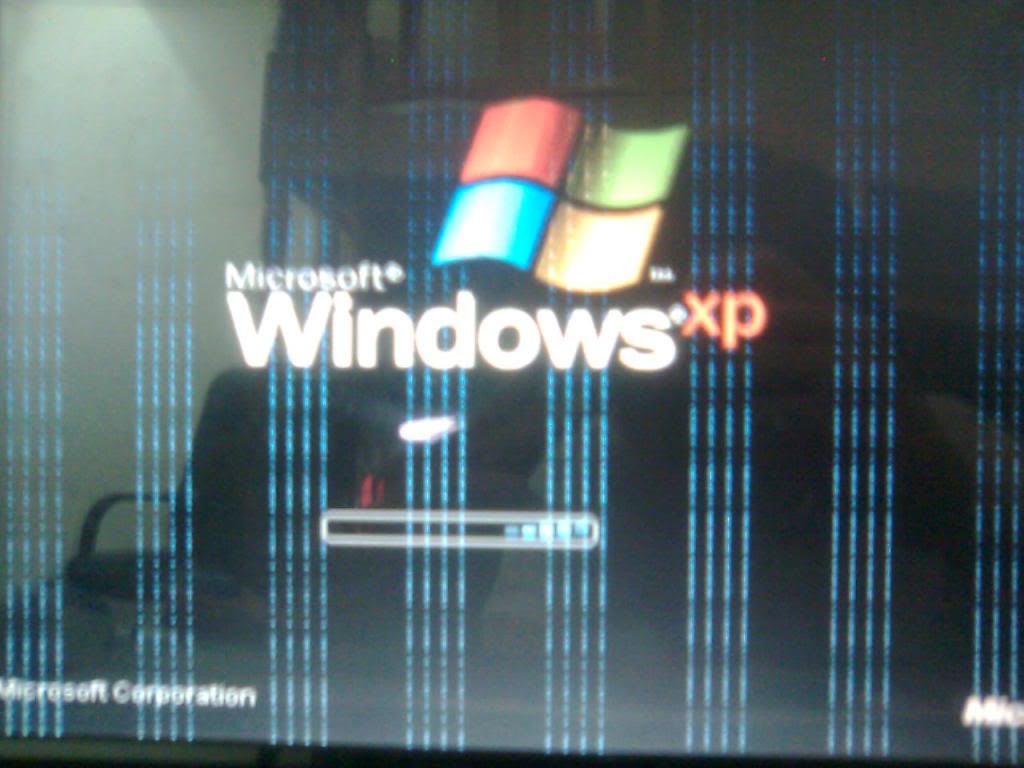
Anyone have an idea what it could be? And if my own is correct, which im pretty sure it is.
I have done alot of troubleshooting on my computers through the years, and I know most of the problems you can get, but I sadly don't have a spare GPU I can test in my computer, to see if that really is the problem. D:
So for now, I will have to make due with my laptop. (I have my laptop connected to my monitor, keyboard, mouse and headphones. So basicly im just using the computer itself.)
Boo!Looks like this: (Not my picture)
Anyone have an idea what it could be? And if my own is correct, which im pretty sure it is.
I have done alot of troubleshooting on my computers through the years, and I know most of the problems you can get, but I sadly don't have a spare GPU I can test in my computer, to see if that really is the problem. D:
So for now, I will have to make due with my laptop. (I have my laptop connected to my monitor, keyboard, mouse and headphones. So basicly im just using the computer itself.)
Jan 5, 2010, 03:07 AM#2
Check if your VGA or DVI cable is plugged in properly.
If it's not that, then it's very likely you'll need a new graphics card.
If it's not that, then it's very likely you'll need a new graphics card.
Jan 5, 2010, 05:42 PM#3
Addtionally to making sure its in properly, try a different cable.
Jan 5, 2010, 05:47 PM#4
[This post has been redacted in the archive]
Jan 5, 2010, 08:32 PM#5
Conor wins.
Jan 5, 2010, 08:34 PM#6
On a sidenote: Im pretty sure it's not the cable, as nothing happened to it. And why would my computer crash, if it was only the signal cabel? And why would my other monitor fuck up aswell, if it was just the signal cabel to one of them? 
So sadly, im still pretty sure it's the GPU.
That's what you get from having crap cooling in your comp for too long, so your GPU ran overheated for 2 years. D:
So sadly, im still pretty sure it's the GPU.
That's what you get from having crap cooling in your comp for too long, so your GPU ran overheated for 2 years. D:
Jan 5, 2010, 09:58 PM#7
What GPU do you have then?
Jan 5, 2010, 10:17 PM#8
GeForce 8800 GTX. An old powerhouse.
An old powerhouse.Jan 5, 2010, 11:03 PM#9
There's nout wrong with the 8800, still a brilliant card these days.
Shame yours seems to have burnt out.
Shame yours seems to have burnt out
.Jan 5, 2010, 11:31 PM#10
GeForce 8800 GTX.
Indeed it was a beast of a card mine died not too long ago aswell i was most sad, sadly i'll be out of the decent GPU market for a long time
Jan 27, 2010, 11:32 PM#11
GeForce 8800 GTX.
The 8800GTX can handle temps of up to 100 degrees C. It's not recommended but it can.
Check the card with each monitor seperatly, see if it still does it. If not, use a single monitor, completely remove your graphics card (not just the power cables or you will end up with a stupidly annoying beeping), power up, turn off, put the card back in and reset the BIOS.
If that doesn't do anything, try updating or re-installing the drivers.
Another problem is dust, make sure there is no dust clogging the fan.
If none of that works, then you probably do need a new graphics card but i HIGHLY recommend you find a GPU to test first or have yours tested on another machine.
Hope it helps
Jan 28, 2010, 06:27 PM#12
Thanks, but I have done extensive troubleshooting already.
It's just dead, so I just need a new one sadly.
It's just dead, so I just need a new one sadly.
Jan 28, 2010, 10:44 PM#13
Lame.
Sucks when that happens.
Sucks when that happens.